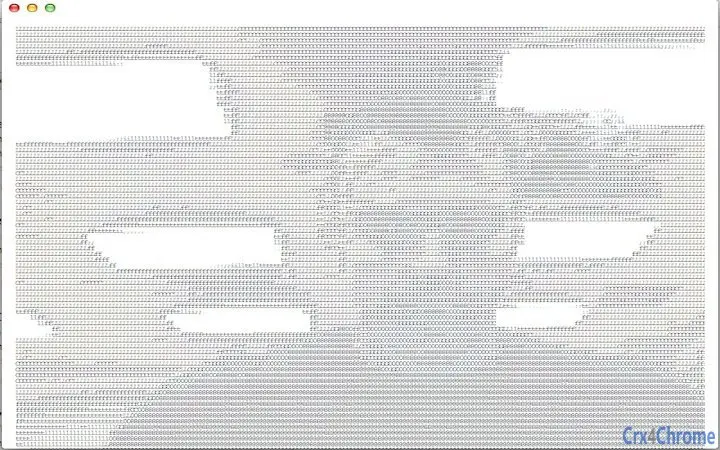

Convert Video to ASCII Art Instantly
Overview
The software offers a straightforward solution for transforming video content into ASCII art, converting live or recorded video streams into text-based visual representations. This utility is designed for users interested in retro aesthetics, digital art experimentation, or unique media display formats. It functions as a lightweight desktop tool that interfaces directly with video input devices, such as webcams or video files, and processes the visual data in real time or on-demand. The primary purpose is to provide an accessible method for generating ASCII-based visuals without requiring advanced programming knowledge or complex software setups.
Target users include hobbyists, digital artists, educators demonstrating text-based visualization concepts, and developers exploring creative coding applications. The software operates as a minimal interface application, focusing on core functionality without additional features. It is suitable for users seeking a no-frills tool to convert video feeds into text-based output, particularly for live demonstrations, artistic installations, or personal experimentation. Real-world usage scenarios may include live webcam displays using ASCII characters, video art projects, or educational presentations on data visualization techniques.
Key Features & Capabilities
- Video Input Access – Directly connects to video devices such as webcams or video files, enabling real-time or offline processing.
- ASCII Conversion Engine – Transforms visual frames into text-based representations using predefined character sets.
- Real-Time Processing – Supports live conversion of video streams, allowing immediate visualization of ASCII output.
- Minimal Interface – Features a simple user interface focused solely on functionality, reducing distractions.
- Multi-Platform Support – Compatible with Windows, Mac, and Linux systems, ensuring broad accessibility.
Users can leverage this tool to display live webcam feeds as text-based images on terminal screens or in console applications. It may also be used in presentations to illustrate how visual data can be abstracted into textual form. The conversion process relies on grayscale mapping and character density to simulate image depth and contrast. While advanced customization options are not specified, the tool provides a foundational experience for those exploring ASCII art generation from video sources.
User Interface, Workflow & Performance
The application presents a minimalistic interface designed for direct access to video input and conversion output. Navigation is straightforward, with essential controls likely located within a compact window layout. Users can initiate video capture, select input sources, and view the resulting ASCII output in real time. The workflow emphasizes simplicity: start the video feed, begin conversion, and observe the text-based visualization.
Performance details were not specified by the developer. However, given the application’s small size of 2.5 MB and focus on real-time processing, it is expected to operate efficiently on modern systems. The developer did not provide additional system requirements or resource usage data. General software behavior suggests stable operation under normal conditions, though performance may vary based on video resolution, frame rate, and system capabilities. CPU and RAM usage patterns remain unknown, but the lightweight nature implies low resource consumption.
Compatibility & System Requirements
The software is compatible with Windows, Mac, and Linux operating systems, supporting a wide range of desktop environments. It is available in version 1.0, with a file size of 2.5 MB, indicating a compact installation package. The developer did not specify exact system requirements, including minimum CPU, RAM, or graphics capabilities. Compatibility information is limited to the operating systems listed.
Users should ensure their system has access to a video input device, such as a webcam or video file, to utilize the core functionality. Installation is expected to be straightforward, given the small file size and cross-platform availability. The absence of detailed hardware specifications means that users may need to test the application on their system to confirm full functionality. No additional dependencies or runtime environments were mentioned.
Pros and Cons
Pros
- Lightweight design at just 2.5 MB
- Real-time ASCII video conversion capability
- Supports multiple operating systems: Windows, Mac, and Linux
- Simple interface ideal for quick access and experimentation
- Free to use with no licensing restrictions
Cons
- No advanced customization options for character sets or output formatting
- Limited documentation or user guides provided
- No information on system requirements or resource usage
- Output quality depends heavily on input resolution and frame rate
- Functionality is narrow and focused on a single use case
FAQ Section
Is this software available for Windows, Mac, and Linux?
Yes, the application supports Windows, Mac, and Linux operating systems, allowing cross-platform use.
Can I use this tool with my webcam?
Yes, the software accesses video input devices, including webcams, to convert live video feeds into ASCII art.
Is the software safe to download and install?
As a lightweight desktop application with no reported security issues, it is considered safe for standard use. Always download from official sources.
Does the software require an internet connection?
No, the tool operates entirely offline and does not require an internet connection to function.
How often are updates released?
Updates are released as needed. The current version is 1.0, and no information on future release schedules was provided.
Final Thoughts
This utility delivers a focused and functional experience for converting video to ASCII art, appealing to users interested in creative visualization and retro digital aesthetics. Its lightweight design, cross-platform availability, and real-time processing make it a convenient tool for experimentation and demonstration purposes. While it lacks advanced features and detailed documentation, its simplicity is also its strength, offering immediate access without setup complexity.
For hobbyists, educators, and digital artists exploring text-based visual forms, this software provides a practical entry point into ASCII video conversion. The free pricing model enhances accessibility, making it ideal for personal projects or classroom use. Although it serves a niche purpose, its core functionality is well-executed within its scope.
Download Convert Video to ASCII Art Instantly now.







